Docker for Front-endDevelopers
A practical, hands-on guide built for the realities front-end engineers face today. Written by a Docker Captain and the author behind official Docker sample guides for React.js, Node.js, Angular, Vue.js, and more.
Modern engineers are expected to deliver consistent, scalable, and production-ready applications that behave the same across every environment.
No more "it works on my machine" excuses!
Also available on:

30 Chapters to MasterDocker for React
From zero to deploying production apps on AWS
- Why does this book exist?
- What will you learn?
- Who is this book for?
- "It Works on My Machine" Syndrome
- From Code to Container: The Real-World Gap
- Docker, Inc. – The Company Behind the Revolution
- Docker – The technology
- Why This Matters for React Developers
- Installing Docker on macOS
- Installing Docker on Windows
- Installing Docker on Linux
- Docker Client and Docker Engine (server)
- Docker CLI — The command line interface
- What is the Docker Engine?
- Docker Container Runtime pipeline
- Docker Daemon — The brain of Docker
- The role of the Open Container Initiative (OCI)
- Docker Image Runtime pipeline
- Docker Hub — The image registry
- Docker images - The deep dive
- Pulling Images
- Image Registry
- Images and layers
- Multi-architecture images
- Delete Images
- Image Debugging
- Essential Docker Image Commands
- The Official Node.js Images
- Types of Node.js Images
- Which Should You Use as a Front-end Developer?
- Containers vs. virtual machines (VMs)
- Containers vs. Images
- Container Lifecycle
- Running a Container: Quick Example with Node.js
- Networking Between Containers
- Debugging Containers
- Essential Container Commands
- Commands you'll use constantly
- Building Docker Images
- Running Containers
- Detached Mode (Running in the Background)
- Mounting Your Code (Hot Reload for Development)
- Debugging Containers
- Managing Containers
- Working with Images
- Volumes and Networks
- Logs and Inspection
- Cleaning Up
- The Anatomy of a Front-end Dockerfile
- Understanding the Dockerfile
- Why .dockerignore Matters?
- Example .dockerignore for Front-End Applications
- What to Exclude and Why?
- Best Practices for writing a good .dockerignore file
- What Is a Docker Network?
- bridge (default and most commonly used)
- host (no isolation, direct access)
- none (fully isolated, no network access)
- overlay (multi-host networking)
- macvlan (assign real LAN IPs)
- How do Containers Communicate?
- The Truth About Localhost in Docker
- Debugging Docker Network Issues
- Why Environment Variables Matter
- How to Pass Environment Variables to Containers
- Setting variables in Docker Compose
- Understanding Docker Secrets
- How Docker Secrets Work
- Environment Variables vs Secrets
- What Is a Docker Volume?
- Docker Storage: Understanding How Containers Persist Data
- Working with Docker Volumes
- Mounting a Volume into a Container
- Volumes in Multi-Container Applications
- Sharing a Volume Between Containers
- Using Volumes in Docker Compose
- What Is Docker Compose?
- How does Docker Compose work?
- Anatomy of a Docker compose.yml File
- Key Compose Concepts
- Docker Compose Commands
- Essential Docker Compose Commands
- Get the sample application
- Building and Testing the Application Locally
- Generate Docker file with docker init
- Test the Generated Setup with Docker Compose
- Common Mistakes and Gotchas
- Dockerfile for React.js + Vite application
- Explaining the Dockerfile Step by Step
- Stage 1: Build the React.js Application
- Stage 2: Prepare NGINX to Serve Static Files
- Building and Running the Image
- Check Running Containers
- Understanding What NGINX Does
- The Complete NGINX Configuration File
- Step-by-Step Explanation
- Common Mistakes to Avoid
- Best Practices for NGINX in Production
- What Does the .dockerignore File Do?
- The Complete .dockerignore File
- How to Verify It Works?
- Why Each Section Matters?
- Why .dockerignore Is Critical?
- Why React Developers Need Docker Compose?
- Production compose.yml file
- Step-by-Step Explanation
- Running Your App with Docker Compose
- Advanced Compose Commands You'll Actually Use
- Best Practices for Docker Compose in React Projects
- Why should you scan your images?
- What is Docker Scout?
- Understanding the Severity Indicators
- How Docker Scout Commands Differ?
- Common Sources of Vulnerabilities
- Integrating Scanning into CI/CD Pipelines
- Best Practices for Image Security
- What Is Serve npm package?
- Why Use Serve Instead of NGINX?
- Writing the Dockerfile Using Serve
- Why This Approach Works
- Troubleshooting Common Issues
- Create a Dockerfile for Development and Testing
- Install and Configure Testing Tools
- Configure Vitest for Testing and Coverage
- Add a Sample Test File
- Add Testing Service in Docker Compose
- Run Tests and Generate Coverage Locally
- Automate Testing with GitHub Actions
- Why Code Quality Matters
- Install ESLint and Plugins
- Create the ESLint Flat Config
- Add Linting Scripts
- Run ESLint Inside Docker
- Add ESLint to GitHub Actions
- Strict Mode and Auto-Fixes
- What Is Kubernetes?
- How Kubernetes Works (High-Level Overview)?
- Why Test in Kubernetes Locally?
- Create a Kubernetes Deployment File
- Understanding the YAML Configuration
- Verify the Deployment
- Debugging Common Issues
- What Are GitHub Actions?
- What Is the GitHub Actions Marketplace?
- Key Concepts in GitHub Actions
- Why Docker + GitHub Actions?
- Creating Your Workflow File
- Step-by-Step Breakdown
- Reference — All Common GitHub Actions Triggers
- Why Run ESLint Directly Instead of in Docker?
- Build and Test your Docker image
- What is ECR?
- Create an ECR Repository
- What is EC2?
- Create an ECS Cluster - The Environment for Your Application
- Create a Task Definition
- Create a Service
- Find the Public IP
- Update the rest of the GitHub Actions
Try Before You Buy
Read a full chapter about Docker Images for free — see the quality for yourself!
Understanding Docker Images
27 pages of practical content
What You'll Learn in This Chapter
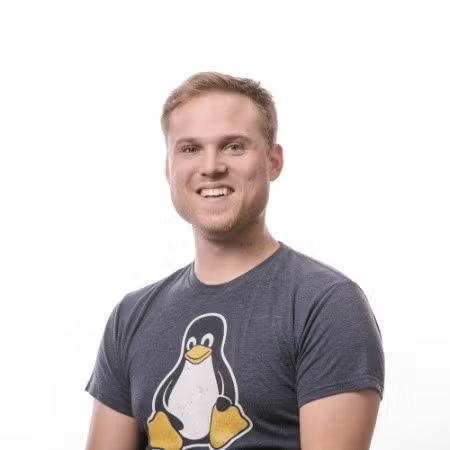
The Person Behind the Official Docker Guides

Kristiyan Velkov
Docker Captain | Tech Lead | Speaker | Blogger | Meta Certified React Developer
I'm the author behind the official Docker documentation guides for React.js, Node.js, Angular, Vue.js, and more. With 11+ years of experience in front-end development, DevOps, and open-source technologies, my mission is to make Docker accessible and practical for every web developer.
As a technical leader and educator, I've conducted 350+ technical interviews, authored multiple tech books, and earned certifications from AWS, Meta, Google, IBM, and more. This book contains everything I wish I knew when I started my containerization journey.
Docker Captain
Official Docker community leader
4 Tech Books
Published author
350+ Interviews
Technical interviews conducted
100+ Certificates
AWS, Meta, Google & more
Loved by React.js Developers & Docker Community
Join hundreds of developers who transformed their Docker skills
“Finally, a Docker guide that speaks my language as a Front-end Developer. The multi-stage build examples are pure gold. Deployment to AWS in really easy.”

“A software engineer with more than 15 years of experience. This book is a great resource for anyone looking to learn Docker and deploy with confidence.”

“A must-read for anyone in the Docker ecosystem. Clear, practical, and built for the realities front-end developers face today.”

“Bought this for my team. Now everyone can containerize their work properly. No more 'works on my machine' excuses!”

“This book is a game-changer. I love the real-world examples and the practical approach.”

“DevOps is for everyone. This book is a great resource for anyone looking to learn Docker.”
Trusted by developers at leading tech companies
🎰 Spin & Win
The Book for FREE!
Try your luck! Every spin guarantees a discount.One chance per email — make it count! 🎯
We'll send your discount code to this email
What You Can Win
10% OFF
Pay only $49.49
20% OFF
Pay only $43.99
30% OFF🔥
Pay only $38.49
40% OFF
Pay only $32.99
50% OFF🔥
Pay only $27.49
FREE🔥
Get the book FREE!
Discount codes valid for 48 hours after claiming
Get Your Copy Today
Start mastering Docker for React.js with the complete guide

20% off applied at checkout
🎡 Spin the wheel and try to win a bigger discount or free book!

Quick checkout on your mobile device
Level Up YourDev Skills Weekly
Join 10,000+ developers getting exclusive insights on React.js, TypeScript, Docker, performance tips, and career advice.
Frequently Asked Questions
Everything you need to know before getting the book
Not at all! This book starts from the very basics and builds up to advanced topics. If you know React, you're ready to learn Docker with this guide. It's also great for developers with experience — it covers advanced topics like EC2 deployment.
You'll receive the book in PDF format. You can also order a physical copy from Amazon. Plus, you get access to all source code examples in a GitHub repository.
Yes! The book is regularly updated to reflect the latest Docker features and best practices. You get lifetime updates at no extra cost.
I offer a 30-day money-back guarantee, no questions asked. If the book doesn't help you master Docker for React.js, just email me for a full refund.
Absolutely! The book covers containerization patterns that work with Create React App, Next.js, Vite, Remix, and any other React-based setup.
Yes! You can reach out to me directly via email. I personally answer all reader questions and help you work through any Docker challenges.
Still Have Questions?
I'm here to help! Reach out directly and I'll personally respond to your questions.
Email Me Directly